| Brand Name: | Ricoh |
| Model Number: | Ricoh Pro 8110 8120 |
| MOQ: | 1 |
| Price: | Negotiable |
| Delivery Time: | 3-5 business days |
| Payment Terms: | L/C,T/T,Western Union,MoneyGram |
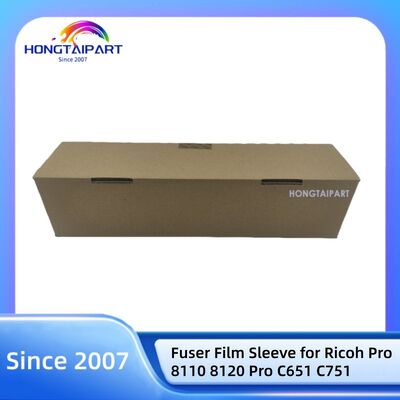
Fuser Film Sleeve D1794197 D0744197 for Ricoh Pro 8110 8120
| Product Details | |
| Description | Fuser Film Sleeve |
| For Use In: | Ricoh Pro 8110 8120 |
| Condition: | Original |
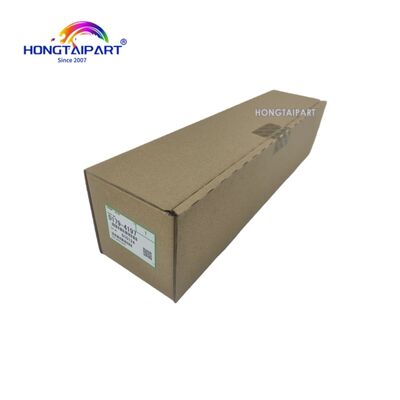
| Part Number | D1794197 D0744197 |
| Packing: | Original packing |
Fuser film sleeve: A core component enabling fast and efficient printing
Fuser film sleeve are critical consumable components in modern laser printers and copiers, widely used in devices employing “fuser film” or “on-demand fusing” (ODF) systems. This thin yet exceptionally durable sleeve rotates around a fixed ceramic heating element, primarily functioning to thermally bond toner particles to the paper surface through heat pressure, creating a permanent, smudge-resistant print result. Unlike traditional thick heating rollers, this film sleeve is engineered for rapid heating, significantly reducing first-page-out time and lowering energy consumption.
Working Principle: Speed and Efficiency
The core components of the fuser film system are the ceramic heater and the thin film sleeve sliding across its surface.
1. Instant Heating: Upon print job initiation, the ceramic heater reaches optimal temperature almost instantly.
2. Sleeve Rotation: A thin, heat-resistant film sleeve (typically made of advanced materials like polyimide) rotates around the heater.
3. Toner Fusion: As paper passes through the gap between the rotating film sleeve and the platen roller, concentrated high heat melts toner particles, which are then fused into the paper fibers.
This design significantly reduces warm-up time and lowers energy consumption, making it widely adopted in devices prioritizing efficient office printing.
Key Features and Benefits
• Rapid Initial Printing: Achieves faster startup and quicker first-page output compared to traditional thermal roller fuser units.
• High Energy Efficiency: On-demand heating system consumes less energy, particularly in standby mode.
• Consistent Print Quality: Ensures uniform heat distribution for reliable toner adhesion across the entire page.
• Durable Design: Constructed with high-quality heat-resistant materials to withstand continuous high-temperature operation.
• Precise Compatibility: Manufactured to exact OEM specifications for seamless integration with specific printer models, guaranteeing flawless operation.
• Cost-Effective Maintenance Solution: Typically more affordable than complete fuser assemblies, providing an economical fix for common print quality issues.
Common Signs That Require Replacing the Fuser Roller Sleeve
• Toner smudging or flaking: Print results are not durable, and toner rubs off easily.
• Vertical lines or streaks: Worn or damaged rollers produce repetitive defects on printed pages.
• Paper wrinkling: A faulty sleeve may fail to guide paper smoothly.
• Abnormal noise: Squeaking or scraping sounds from the fuser area indicate sleeve wear.
• Error codes: The printer may display fuser-related error messages (codes vary by brand).
![]()
| Brand Name: | Ricoh |
| Model Number: | Ricoh Pro 8110 8120 |
| MOQ: | 1 |
| Price: | Negotiable |
| Packaging Details: | Foam+Brown Box |
| Payment Terms: | L/C,T/T,Western Union,MoneyGram |
Fuser Film Sleeve D1794197 D0744197 for Ricoh Pro 8110 8120
| Product Details | |
| Description | Fuser Film Sleeve |
| For Use In: | Ricoh Pro 8110 8120 |
| Condition: | Original |
| Part Number | D1794197 D0744197 |
| Packing: | Original packing |
Fuser film sleeve: A core component enabling fast and efficient printing
Fuser film sleeve are critical consumable components in modern laser printers and copiers, widely used in devices employing “fuser film” or “on-demand fusing” (ODF) systems. This thin yet exceptionally durable sleeve rotates around a fixed ceramic heating element, primarily functioning to thermally bond toner particles to the paper surface through heat pressure, creating a permanent, smudge-resistant print result. Unlike traditional thick heating rollers, this film sleeve is engineered for rapid heating, significantly reducing first-page-out time and lowering energy consumption.
Working Principle: Speed and Efficiency
The core components of the fuser film system are the ceramic heater and the thin film sleeve sliding across its surface.
1. Instant Heating: Upon print job initiation, the ceramic heater reaches optimal temperature almost instantly.
2. Sleeve Rotation: A thin, heat-resistant film sleeve (typically made of advanced materials like polyimide) rotates around the heater.
3. Toner Fusion: As paper passes through the gap between the rotating film sleeve and the platen roller, concentrated high heat melts toner particles, which are then fused into the paper fibers.
This design significantly reduces warm-up time and lowers energy consumption, making it widely adopted in devices prioritizing efficient office printing.
Key Features and Benefits
• Rapid Initial Printing: Achieves faster startup and quicker first-page output compared to traditional thermal roller fuser units.
• High Energy Efficiency: On-demand heating system consumes less energy, particularly in standby mode.
• Consistent Print Quality: Ensures uniform heat distribution for reliable toner adhesion across the entire page.
• Durable Design: Constructed with high-quality heat-resistant materials to withstand continuous high-temperature operation.
• Precise Compatibility: Manufactured to exact OEM specifications for seamless integration with specific printer models, guaranteeing flawless operation.
• Cost-Effective Maintenance Solution: Typically more affordable than complete fuser assemblies, providing an economical fix for common print quality issues.
Common Signs That Require Replacing the Fuser Roller Sleeve
• Toner smudging or flaking: Print results are not durable, and toner rubs off easily.
• Vertical lines or streaks: Worn or damaged rollers produce repetitive defects on printed pages.
• Paper wrinkling: A faulty sleeve may fail to guide paper smoothly.
• Abnormal noise: Squeaking or scraping sounds from the fuser area indicate sleeve wear.
• Error codes: The printer may display fuser-related error messages (codes vary by brand).
![]()